The Exit Interview: What Your Smart Gadgets Need to Forget Before They Move On
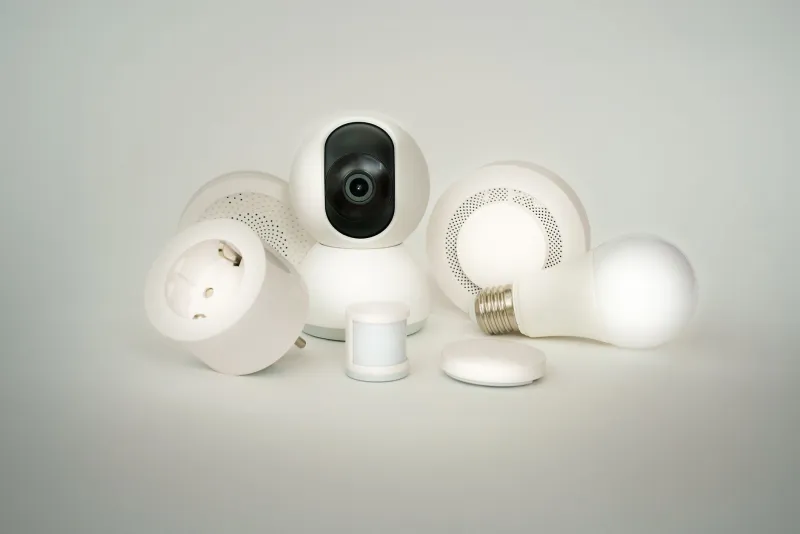
Smart gadgets are brilliant at remembering things. Your plug remembers the lamp schedule. Your camera remembers the Wi-Fi password. Your TV remembers who was signed in to iPlayer, Netflix and maybe an old email address you have not touched since 2019. That is handy while the device lives with you. It becomes a problem the moment it heads off to someone else's home.
Swapping a connected gadget is not quite like swapping a bookshelf. The hardware changes hands, but the account trail can linger. A second-hand smart camera should not come with a backstage pass to your kitchen. So before you list that spare plug, bundle that old bulb into a trade or pass on a smart TV, give it a proper exit interview.
Start with the account, not the device
The first mistake is reaching for the reset button before checking the app. Most smart home kit is tied to a manufacturer account, and a factory reset may not fully remove that link. Open the app, find the device settings and look for options such as remove device, unlink, deregister or delete from home. Do that first.
Then check the places where your gadgets talk to each other. If you used Alexa, Google Home, Apple Home or SmartThings, remove the device from those routines too. A plug that has been deleted from its own app can still sit inside a voice assistant routine, waiting to confuse the next owner. If you shared access with a flatmate or family member, revoke that access as well.
It is also worth checking any third-party services connected to the device. Some cameras link to cloud storage, some doorbells link to delivery services, and some TVs link to catch-up apps. Remove those connections before the gadget leaves your shelf.
Factory reset is necessary, but not sufficient
Once the account link is gone, do the reset. The method varies wildly: a pin-hole button on a camera, a long press on a plug, a sequence of power cycles for a bulb, or a menu option buried three levels deep in a TV. Find the manufacturer's instructions for your exact model rather than guessing.
For cameras and doorbells, deal with recordings before you wipe. Download anything you want to keep, then delete cloud clips and local SD card footage. For TVs, sign out of every app, clear the browser and remove any stored payment details. For devices with a screen, check whether there is a separate reset for the smart hub or voice assistant built in.
When you think it is clean, photograph or film the reset confirmation screen. It sounds fussy, but it gives both sides a record. If the new owner later says the device is still asking for a PIN, you have evidence that it was cleared before handover.
The too-locked-in list
Some gadgets are simply a bad idea to swap. Be wary of anything that cannot be removed from the original account, needs a non-transferable subscription to work, or is tied to a broadband contract or eSIM. Smart TVs can be awkward if the previous owner has bought films through the manufacturer's store. Security cameras can be awkward if the cloud plan is tied to the seller and cannot be moved.
Other red flags: devices that need a proprietary hub you are not passing on, gadgets with cracked casings or exposed cables, and anything that will not complete a factory reset. If you cannot hand it over clean, do not hand it over at all. Recycle it through a local household waste site or a retailer take-back scheme instead. Data is part of the device's condition now.
Make the handover boring, in a good way
A short swap note is more useful than a long chat. Include the model number, what you reset, whether any subscriptions are active, what accessories are included and any known quirks. If you are meeting in person, do the final reset together. That way the buyer sees the device reach the setup screen and you see it leave your account.
Do not share your account password. Do not leave the device signed in to your Wi-Fi just to prove it works. If a demo is needed, use a guest network or a mobile hotspot, then remove it. And if you are the one receiving the gadget, ask to see the reset and check the app's setup screen before money or swap credit changes hands.
The small print that saves a headache
Check the plug, cable and charger for damage, especially with older smart plugs and cameras. Look for a UKCA mark where it should be. Make sure remotes, mounts and power adapters are included, because replacements can cost more than the swap is worth. For anything with a camera lens, give it a wipe and check for scratches.
None of this is about being paranoid. It is about keeping second-hand tech genuinely useful. A smart gadget that has been properly unlinked is a bargain. One that still remembers its old owner is a small, annoying door that nobody wants to stand next to. Wipe it, unlink it, document it, then let it go.